Applications

4 Cool Civil War Apps for your iPhone/iPod/iPad

by fifer1863 on November 12, 2011


4 Cool Civil War Apps for your iPhone/iPod/iPad

Over the past few weeks I have had the opportunity to take a look at several civil war related apps for the iPhone and iPad. The following is a review of four of those apps.

Civil War Preservation Trust Gettysburg app

The Civil War Preservation Trust (CWPT) has created a pretty good app about the battle of Gettysburg. The app contains information

about the battle including the Order of Battle, chronology and some additional key facts.

The app focuses primarily on the area of the battlefield that is known as Devil’s Den and Little Round Top. One of the nice features is that it includes videos of Licensed Battlefield Guide and CWPT Education Director Gary Adelman.

The app also uses the GPS tools in your smartphone to pinpoint your location on the battlefield.

Another feature that I really like is the “Battlefield Challenge” where you are given clues on where to find some cool locations on the battlefield like the location where 6 generals stood.

Finally, the app includes some really good information about different parts of the battlefield from monuments to famous rocks. What is really nice is the information on how to find the locations.

Gettysburg App by MultiEducator Inc

The Gettysburg App from MultiEducator is packed full of information about the battle. The app includes sections on the battle such as Summary, Accounts, Photographs, Maps and Lincoln’s Gettysburg Address.

Throughout the app there are several multimedia clips that add to the overall quality of the app. I also like the mice selection of original photographs.

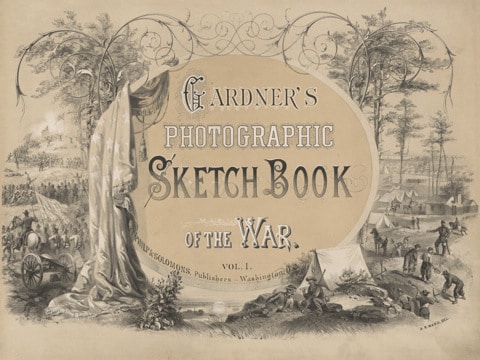
Gardner’s Photographic Sketchbook

This is quickly becoming one of my favorite apps.  The Gardner’s Photographic Sketchbook appby Tehrkot Media is a great app where you page through Gardner’s photo album of 100 photos selected from his original works. This app is well put together and the table of contents provides you with easy navigation to various sections of the book.  It is just like reading the book, complete with extras taken from the original.

Additionally there are biographies of Alexander Gardner, Mathew Brady, and Alfred Waud, some photographic mysteries and information on Civil War era photography and what it was like to take photos during the war.

Each photo includes captions with the photographer’s name and a description of the photo.  If you tap on the caption, it will take you to a more detailed description or you can even do some “pinch & zoom” of the photos.

And last but not least…

History 3D: Civil War

History 3D: Civil War by Mima Studios is by far the best app that I have for my iPad.  This app allows you to view dozens of Civil War era photographs in 3D!  The photos are taken from the Library of Congress and are presented in a book style so you can turn the page and find a new and exciting photo to explore.

You can also view their promotional History 3D YouTube video.

You don’t need 3D glasses as the app allows you to view them in black and white but to get the true experience, go grab a cheap set of 3D glasses and curl up with your iPad and start exploring.

At $1.99 this app is a steal and well worth the money.

{ 0 comments }

Lincoln Loved Learning

by fifer1863 on June 14, 2009

Here is another cool use of VoiceThread for your classroom. Melanie Lewis is an Instructional Technology Resource Teacher in Virgina and has created a webpage called Lincoln Loved Learning.

Mrs. Lewis has taken several images from the life of Abraham Lincoln and combined them together with a narrative text using VoiceThread. These photographs depict various parts of Lincoln’s life growing up including his family and how he loved to read. What is especially interesting about this project is that throughout the slideshow, several students provide additional insights and comments about the life of our 16th President. Finally, Mrs. Lewis has listed several additional resources for you to explore about the President.

I have discussed the use of this type of technology before, so here is just another example of how you and your students can create and share information. These types of activities are cross-curricular and promote student engagement and creativity.

Here are some ideas for other VoiceThread projects:

  • Research a Battle and discussion the important facts
  • Research a particular unit and show photos and provide information
  • Research a specific figure from the Civil War (lots of possibilities here)
  • Research a particular aspect such as medicine and show photos of wounded soldiers

So many possibilities…Let me know what you think and if you create any in your classrooms.

{ 1 comment }